
Company Introduction
More










PCIe 4.0 vs. 3.0: An Engineering Reality Check on Performance
Share:
We see it all the time in the lab: people dumping money into hardware without knowing where the actual bottlenecks are. Forget the marketing fluff. Let’s look at how PCIe 4.0 performs when you actually put it on the bench.
It’s About Signaling, Not Just Numbers
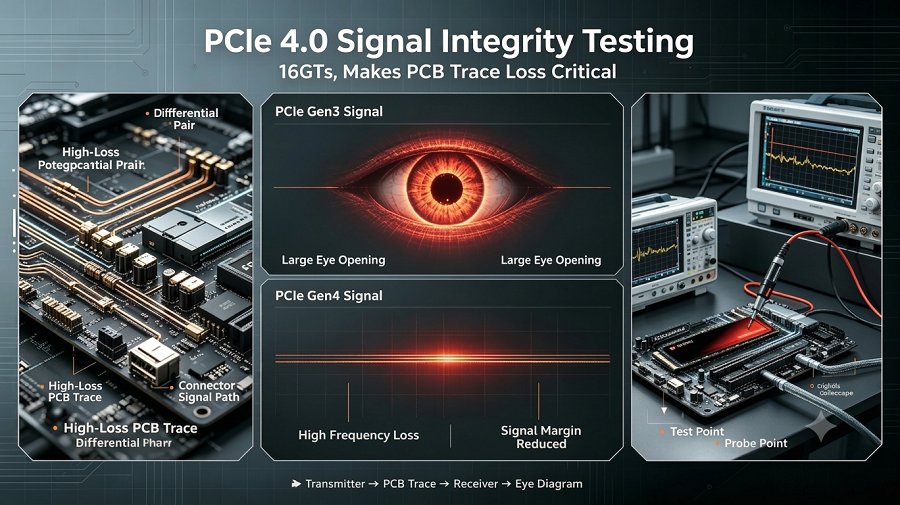
On paper, PCIe 4.0 doubles the bandwidth to 16 GT/s. But from an engineering standpoint, the jump isn't just about speed—it’s about signal integrity (SI). At these frequencies, the PCB layout becomes incredibly unforgiving. Before comparing PCIe generations, it is important to understand how PCIe SSD architecture, NVMe protocol, and interface design work together.
If you’re seeing your Gen 4 SSD downshift to Gen 3 speeds, it’s almost always a physical layer issue: a cheap riser cable, or a motherboard that wasn’t laid out with the necessary Gen 4 signal loss margin.
Quick Performance Reference:
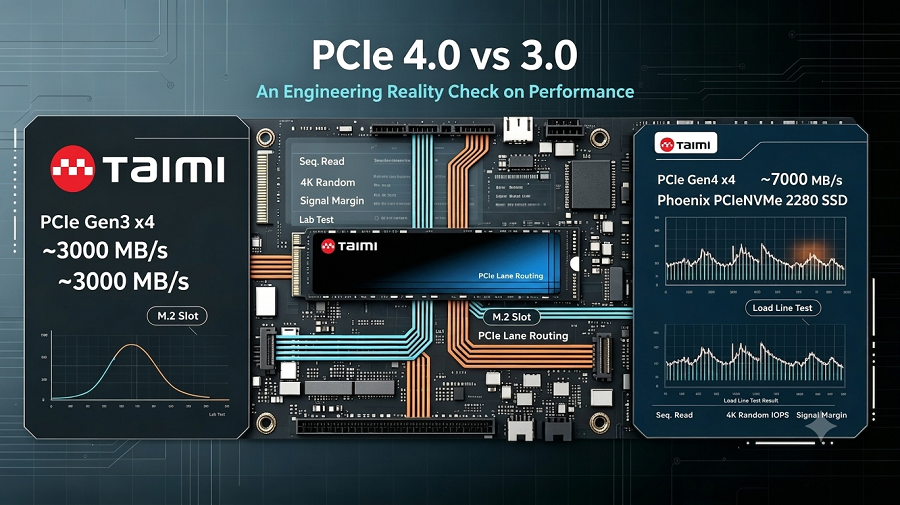
| Metric | PCIe 3.0 (x4) | PCIe 4.0 (x4) | Taimi Lab Notes |
|---|---|---|---|
| Seq. Read | ~3,000 MB/s | ~7,000 MB/s | 8K raw clips fly; bottleneck gone |
| Random 4K IOPS | 850k | 920k | Mostly firmware-limited |
| Signal Margin | Plenty | Very tight | High-loss PCB = Link dropouts |
The Storage Bottleneck: Throughput vs. Latency
We benchmarked our latest Taimi Gen 4 NVMe series against older Gen 3 hardware. Yes, if you’re moving massive 8K raw files, you’ll hit that 7,000 MB/s+ ceiling, which is a game-changer for professional production. However, peak sequential speed does not always represent real-world performance. Under continuous workloads, factors such as thermal management, SLC cache behavior, and sustained write performance become critical.
But for daily workloads? Latency is the real king. If the SSD controller's firmware has poor buffer management, a PCIe 4.0 interface won’t compensate for sluggish response times. Interface speed is only one part of SSD performance. Beyond bandwidth, long-term SSD reliability also depends on NAND endurance, controller design, firmware optimization, and workload patterns. In our testing, the jump in 4K random IOPS is measurable, but firmware optimization—like that found in our latest Taimi controllers—is what truly defines the user experience.
Real-World GPU Scenarios
Don’t sweat the PCIe generation for your GPU unless you’re running a card with limited lanes (like the x8 configs we’re seeing more of). On a full x16 slot, PCIe 3.0 still has plenty of headroom. You’re better off putting that saved budget toward a better GPU or more RAM than stressing over whether your PCIe slot is Gen 3 or 4.
Troubleshooting (From the Workbench)
If your gear isn't hitting Gen 4 speeds, here is what we check first in the lab:
Direct-to-CPU: Always use the M.2 slot linked directly to the CPU. If routed through the PCH (chipset) via DMI, you’re hitting a bus bottleneck.
The Riser Cable Trap: If using a vertical GPU mount, swap it for a Gen 4-certified cable. 90% of our "performance issues" disappear once we pull out the cheap 3.0 riser.
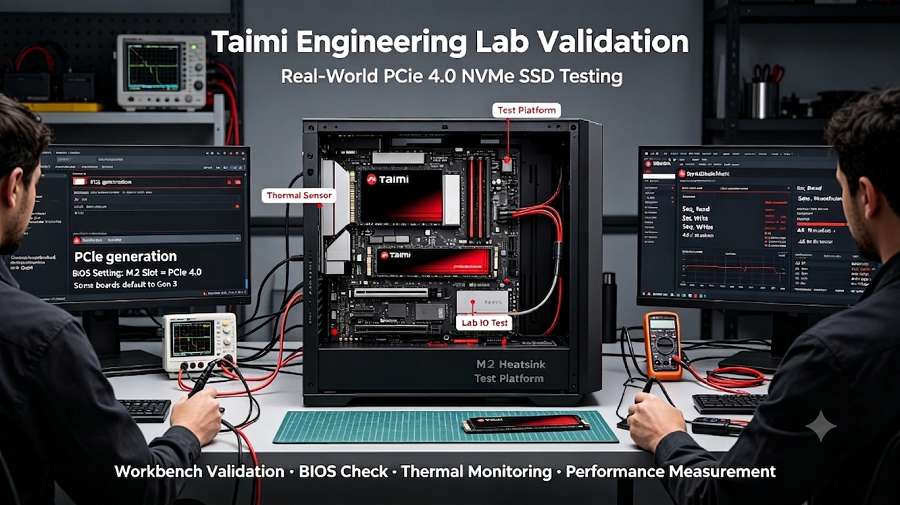
BIOS Settings: Some boards default to "Gen 3" for compatibility. Manually force "Gen 4" in the UEFI.
However, PCIe bandwidth is only one factor that affects SSD performance. If a newly installed SSD still runs slower than expected, factors such as motherboard compatibility, firmware behavior, SLC cache, thermal throttling, and workload conditions should also be considered. Learn more in our comprehensive selection and performance guide:
Technical FAQ
Q: Does PCIe 4.0 make my OS feel faster?
A: Generally, no. UI responsiveness is tied to random 4K read latency, which is heavily reliant on the controller's firmware efficiency—a core focus of our Taimi engineering team.
Q: Why does my Gen 4 SSD throttle under load?
A: High-speed controllers hit 80°C+ fast. Without a proper heatsink, the firmware will cut the I/O queue depth to protect the NAND. We recommend ensuring your drive has integrated thermal management to maintain peak performance.
Q: How does cabling affect link speed?
A: At 16 GT/s, 'Insertion Loss' is the enemy. Once your signal path goes past 10–12 inches without a Re-timer or Re-driver, that signal falls apart. You’ll see the link drop back to Gen 3—that’s just the system trying to keep things stable when it can’t handle the full speed.
Q: Is it safe to mix Gen 3 and Gen 4 parts?
A: Perfectly safe. It’s fully backward compatible. Your Gen 4 drive will just negotiate down to the slowest link in the chain.
This brief is validated by the Taimi Engineering Lab. Need a deep dive on specific configuration compatibility or looking for a certified PCIe 4.0 storage solution? Contact the Taimi Technical Support Team
Related Products
Recommended Articles
PCIe 4.0 vs. 3.0: An Engineering Reality Check on Performance
2026-07-08
More
PCIe vs. SATA SSD: A 2026 Engineer’s Guide to Storage Upgrades
2026-07-02
More
PCIe 4.0 vs. SATA SSD: Choosing the Right Storage for OEM Projects (No Fluff)
2026-06-26
More
7000MB/s Peak Read vs. Sustained Write Lines in 4K Video Workflows
2026-04-24
More
SVIAZ 2026 Recap: Moscow, Data, and Our Manufacturing Reality
2026-04-02
More
Taimi SSD Technology: Wafer-Level Testing & Signal Integrity for Enterprise SSD Reliability
2026-07-06
More