













When selecting storage for a new PC build, workstation, or OEM deployment, most users focus first on SSD read and write speeds. However, the interface connecting the SSD to the motherboard often determines whether the drive can actually reach its rated performance.
A PCIe SSD is a solid-state drive that connects directly to the system using the PCI Express (PCIe) bus, allowing significantly faster data transfer than traditional SATA drives.
Whether you are building a high-performance PC, setting up a workstation, or sourcing storage for OEM systems, understanding how PCIe storage works helps you choose the right drive.
What Is a PCIe SSD?
A PCIe SSD (also known as a PCIe NVMe SSD) is a flash storage drive that uses high-speed PCI Express lanes to communicate directly with the computer processor.
Unlike traditional SATA drives, which were originally designed for slower mechanical hard drives, PCIe SSDs bypass legacy storage controllers. This direct link reduces latency and opens up significantly higher bandwidth across the system.
Inside a typical PCIe SSD, four key components work together:
- NAND Flash Memory: The non-volatile storage chips where files and data are physically saved.
- SSD Controller: The processor inside the drive that manages data placement, wear leveling, error correction, and speed optimizations.
- Firmware: The embedded software governing drive behavior and host communication.
- PCIe Interface: The high-speed physical pathway connecting the SSD controller to the motherboard bus.
In short, NAND flash provides storage capacity, the controller manages data movement, and PCIe determines the maximum bandwidth available between the SSD and system. Without enough PCIe lanes, even the fastest controller gets stuck in a throughput bottleneck.
How Does PCIe Improve SSD Speed?
The primary advantage of a PCIe SSD is bandwidth, the volume of data capable of traveling through the interface simultaneously.
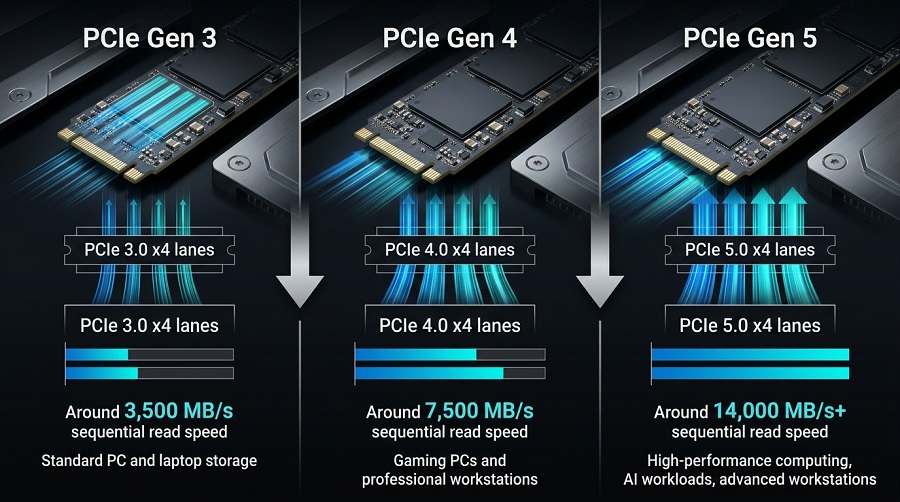
Traditional SATA III connections top out at roughly 550–600 MB/s due to bus limitations. PCIe storage overcomes this ceiling by utilizing multiple dedicated communication channels called lanes. Most modern M.2 NVMe SSDs use a PCIe x4 configuration, where four parallel lanes work together to transfer data. For more details about bandwidth differences between generations, check our guide on PCIe 4.0 vs PCIe 3.0 SSD performance.
| PCIe Generation | Typical Sequential Read Speed | Target Applications |
|---|---|---|
| PCIe 3.0 | Up to 3,500 MB/s | Everyday office PCs, budget laptop upgrades |
| PCIe 4.0 | Up to 7,500 MB/s | Gaming PCs, laptops, mainstream workstations |
| PCIe 5.0 | Up to 14,000 MB/s+ | Heavy 8K video rendering, AI model training, enthusiast setups |
PCIe SSD vs. SATA SSD: Key Differences
While both drive types rely on NAND flash memory to retain data, they connect through fundamentally different bus architectures:
| Specification / Feature | PCIe SSD | SATA SSD |
|---|---|---|
| Bus Interface | PCI Express High-Speed Interface | Serial ATA (Legacy Controller) |
| Peak Sequential Read | 3,500 to 14,000+ MB/s | Maximum ~560 MB/s |
| Protocol Latency | Ultra-low (optimized for flash) | Higher (AHCI overhead) |
| Form Factors | M.2 (2280), PCIe Add-In Card (AIC) | 2.5-inch drive bay, M.2 SATA |
| Primary Use Cases | OS boots, gaming, heavy content creation, B2B OEM | Legacy system revivals, secondary mass storage |
PCIe vs. NVMe: Clearing Up the Confusion
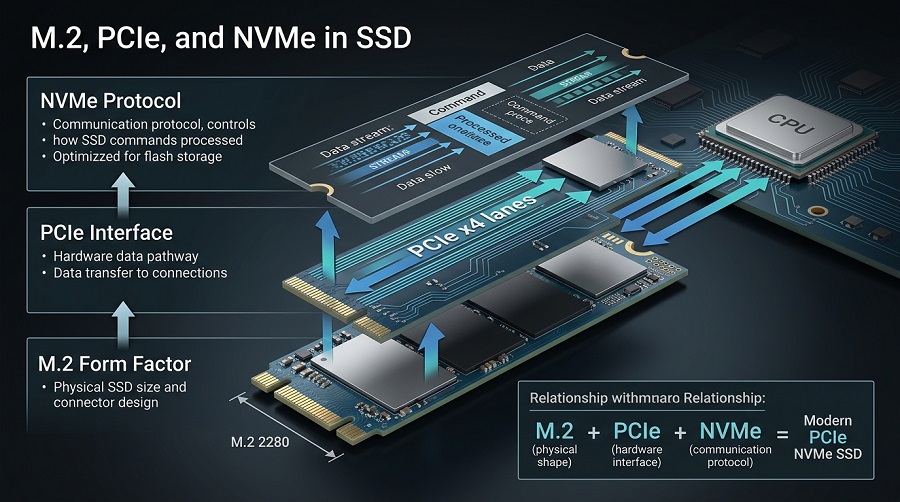
The terms "PCIe" and "NVMe" are often used interchangeably, but they refer to two distinct layers of storage architecture:
- PCIe (Peripheral Component Interconnect Express): The hardware interface, the physical lanes and signal pathways connecting the SSD to the system platform.
- NVMe (Non-Volatile Memory Express): The software communication protocol, the logical command set built specifically to allow flash memory to transmit data over PCIe lanes with minimal latency.
Most current high-performance drives combine both technologies: an M.2 PCIe NVMe SSD uses the compact M.2 physical shape, transmits data over physical PCIe hardware lanes, and processes commands via the high-efficiency NVMe protocol.
A common misconception: having an M.2 slot does not automatically guarantee PCIe speeds. Some M.2 SSDs use SATA interfaces instead of NVMe, limiting performance to around 550 MB/s. Before upgrading, check our guide on M.2 SSD compatibility and SATA vs NVMe differences.
Where Are PCIe SSDs Used?
PCIe SSDs are now commonly deployed across consumer PCs, professional workstations, and industrial systems where high bandwidth and low latency are required.
- Gaming Systems: Drastically cuts load screens, enables smooth open-world asset streaming, and supports modern direct-storage APIs.
- Professional Workstations: Streamlines demanding workflows such as multi-cam 4K/8K RAW video editing, 3D CAD rendering, and localized AI workload execution.
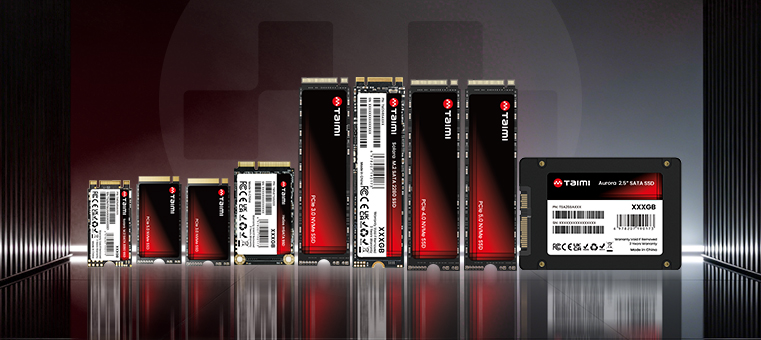
- OEM and Embedded Solutions: Laptop manufacturers, Mini PC builders, and industrial system integrators rely on compact M.2 PCIe SSDs for high-density, low-power storage with reliable signal integrity.
PCIe SSD Compatibility Checklist Before You Buy
Before selecting an SSD for an upgrade or new deployment, cross-check these hardware specifications:
- M.2 Slot Signal Mode: Confirm whether the target slot supports PCIe/NVMe protocol, or if it is strictly pinned for SATA modules.
- Physical Form Factor: Ensure the motherboard accommodates standard M.2 2280 (22mm wide, 80mm long) modules or requires compact variants (e.g., 2230 or 2242).
- PCIe Generation Backward Compatibility: PCIe generations are generally backward compatible. A PCIe 4.0 drive will run in a PCIe 3.0 slot without stability issues, although performance will be limited by the older interface bandwidth.
Frequently Asked Questions
Is a PCIe SSD faster than a SATA SSD?
Yes. Even older PCIe 3.0 SSDs deliver roughly six times the sequential throughput of the theoretical maximum limit of a SATA III interface.
What is the difference between M.2 and PCIe SSD?
M.2 refers strictly to the physical form factor and connector shape, whereas PCIe refers to the underlying hardware bus interface. An M.2 SSD can communicate via either a PCIe interface or a legacy SATA interface depending on drive design.
Can I install a PCIe 4.0 SSD in a PCIe 3.0 motherboard?
Yes. PCI Express technology is backward compatible. The PCIe 4.0 drive will operate normally, but transfer speeds will cap at the maximum throughput allowed by the PCIe 3.0 slot.
Do all M.2 SSDs use PCIe?
No. M.2 designates only the card dimensions and slot layout. Certain cost-effective or legacy M.2 SSDs utilize SATA controller logic instead of PCIe interface lanes.
What does PCIe x4 mean on an SSD?
PCIe x4 indicates that the drive utilizes four dedicated PCI Express lanes simultaneously for data transfer. More parallel lanes directly equate to higher available throughput and bandwidth.
For OEM customers, choosing a PCIe SSD is not only about peak speed. Long-term reliability depends on controller selection, firmware optimization, NAND quality, and production consistency.
Need PCIe SSD Solutions for OEM Projects?
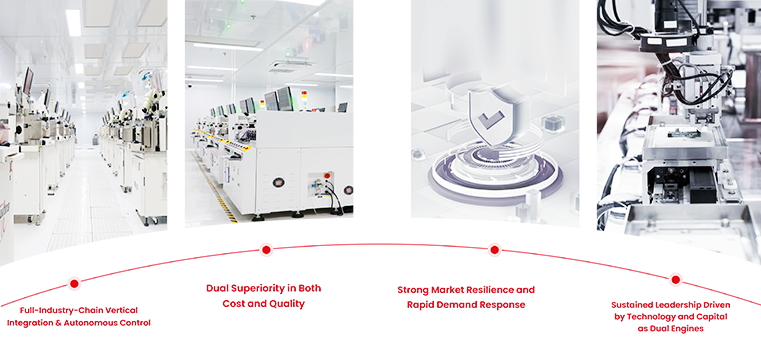
Whether you need high-performance PCIe 4.0/5.0 drives for gaming builds, industrial-grade storage for embedded devices, or customized OEM/ODM packaging for your brand, Taimi provides end-to-end manufacturing with rigorous quality testing and competitive bulk pricing.
Request a B2B Quote & Custom Sample →