
Company Introduction
More










What Is an NVMe SSD? Complete Guide to Speed, Gaming Performance, Compatibility, and SSD Selection (2026)
Share:
7,000 MB/s read speeds look incredible on a box or a marketing banner.
Whether you are upgrading a personal computer, building a high-performance system, or selecting storage for embedded and commercial applications, raw peak speed is only part of the story.
This guide explains how NVMe works, where the real performance improvements come from, and what factors actually matter when choosing an SSD.
If you are comparing different SSD types, interfaces, and usage scenarios before making a purchase decision, our complete [SSD Buying Guide 2026: How to Choose the Right SSD for PC, Laptop, and OEM Applications] provides a broader overview covering form factors, SATA vs NVMe, NAND selection, and OEM considerations.
The Interface Limit: Why SATA Had to Go
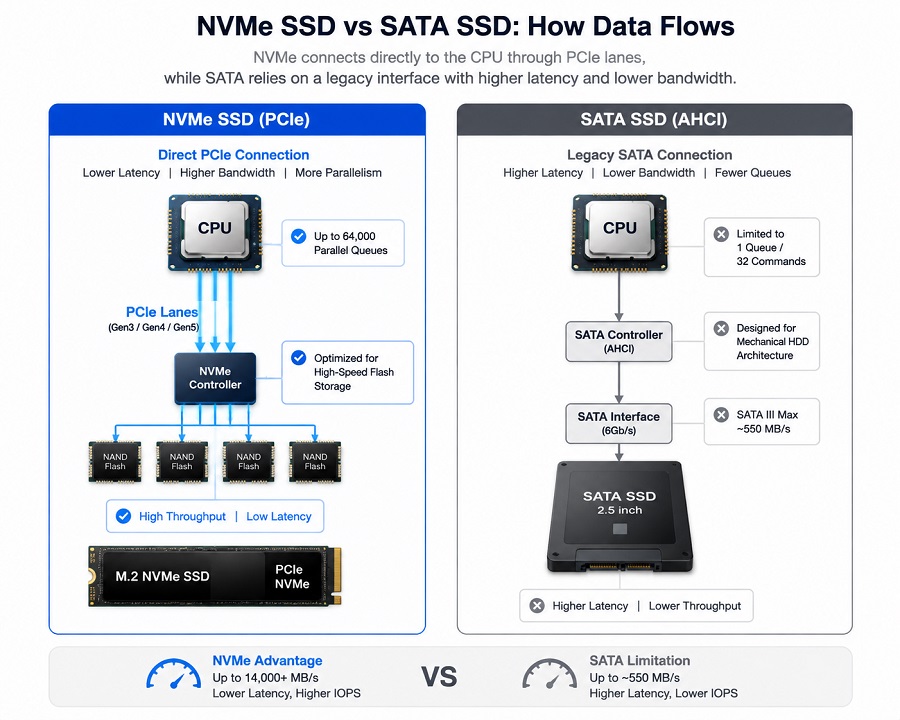
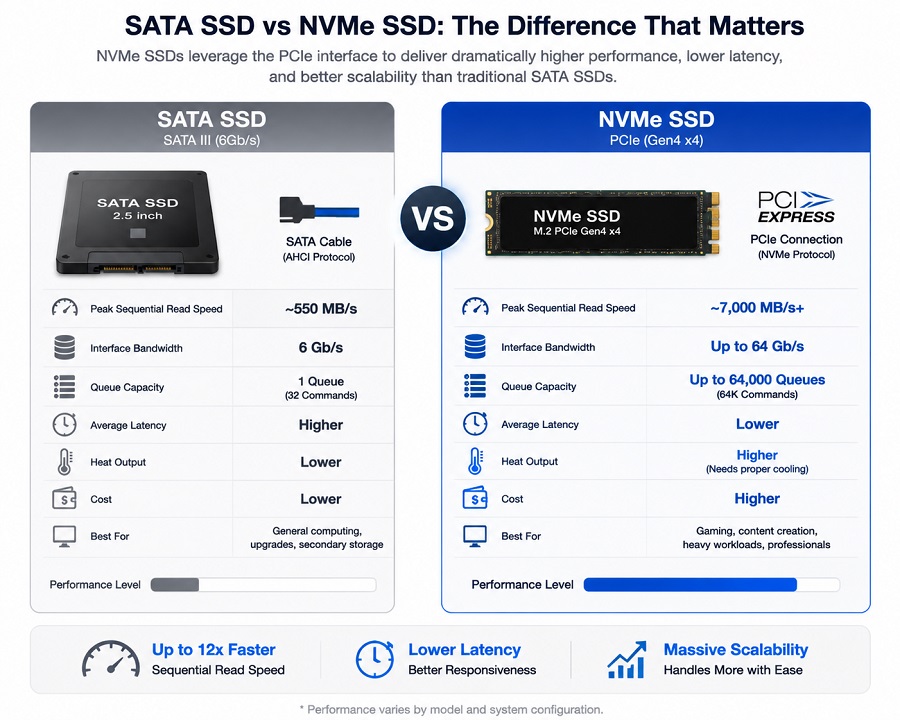
Older SATA SSDs run on a legacy interface originally designed for mechanical spinning hard drives. SATA routes data through a single command queue capped at 32 commands, hitting a hard speed wall at around 550 MB/s.
NVMe (Non-Volatile Memory Express) bypasses that interface bottleneck completely. Built specifically for modern high-speed flash storage, NVMe connects directly to the host CPU via PCIe lanes, supporting up to 64,000 parallel command queues. Moving from SATA to NVMe drops queue latency significantly and allows SSDs to take advantage of much higher PCIe bandwidth.
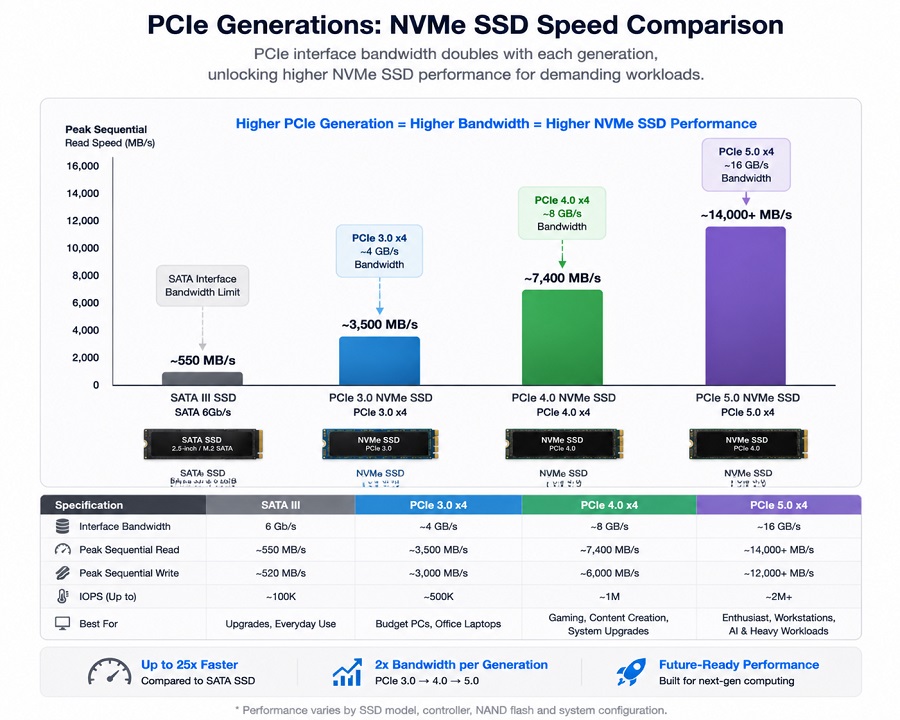
| Interface | Signal Bus | Peak Read Speed | Queue Capacity | Ideal Usage Scenario |
|---|---|---|---|---|
| SATA III | Legacy SATA | ~550 MB/s | 1 Queue / 32 commands | Older laptop upgrades, cheap secondary storage |
| PCIe 3.0 NVMe | Gen3 x4 | ~3,500 MB/s | 64,000 Queues | Budget PC builds, everyday office laptops |
| PCIe 4.0 NVMe | Gen4 x4 | ~7,400 MB/s | 64,000 Queues | High-performance PCs, gaming, 4K media editing, system upgrades |
| PCIe 5.0 NVMe | Gen5 x4 | ~14,000+ MB/s | 64,000 Queues | Enthusiast rigs, workstation servers, AI workloads |
(For a full hardware lane comparison, see our guide on PCIe vs. SATA SSD: A 2026 Engineer’s Guide to Storage Upgrades).
Is an NVMe SSD Worth It for Gaming, Content Creation, and Daily Use?
For everyday tasks such as web browsing, office applications, and streaming, a PCIe Gen4 NVMe SSD may not feel dramatically faster than a good SATA SSD. Windows boot times may improve by a few seconds, but everyday responsiveness also depends on your CPU, memory, and software environment.
The advantage of NVMe becomes clearer when the workload involves frequent large-file access or sustained data transfers.
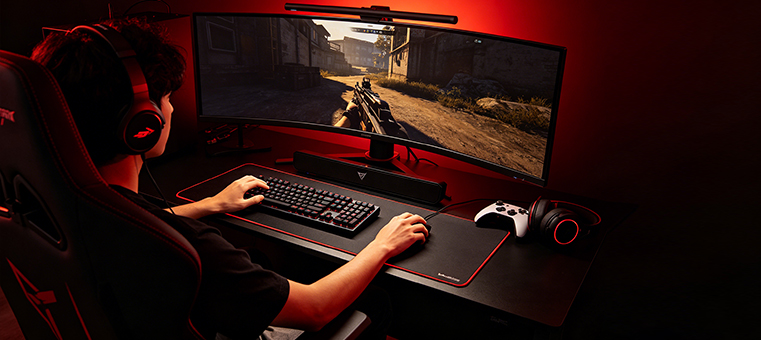
- Gaming and High-Performance PC Builds: Modern games continuously load large asset files during gameplay. A faster NVMe SSD can improve loading times and provide smoother asset streaming in supported applications. (Some platforms, such as PS5 expansion storage, require compatible PCIe Gen4 x4 NVMe SSDs with proper thermal solutions.)
- 4K & 8K Video Editing: High-speed NVMe storage helps handle large media files, reduce timeline delays, and improve workflow efficiency when working with high-resolution video projects. (See our real-world analysis in 7000MB/s Peak Read vs. Sustained Write Lines in 4K Video Workflows).
- Heavy Multitasking and File Transfers: NVMe SSDs reduce transfer bottlenecks when handling large project files, system backups, game libraries, and other workloads that generate frequent storage requests.
The Key Spec People Ignore: Independent DRAM Cache
When choosing an SSD, most buyers focus on advertised read and write speeds. A drive rated at 7,000 MB/s does not necessarily maintain that speed during long write operations.
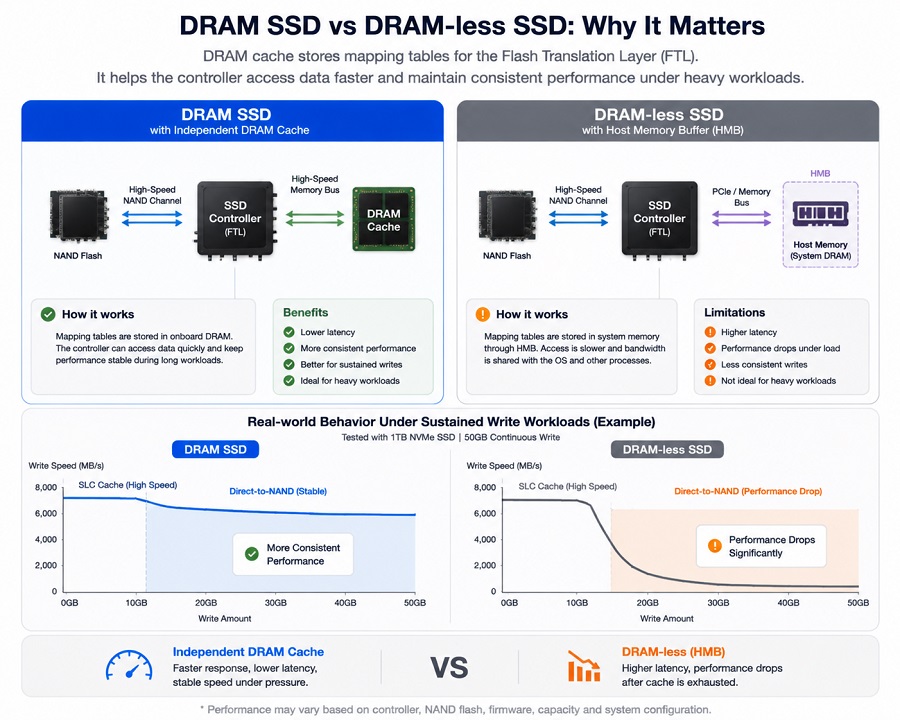
Many entry-level SSD designs remove the onboard DRAM chip and use Host Memory Buffer (HMB) technology to reduce hardware complexity and cost. While DRAM-less SSDs handle light daily tasks well, sustained heavy workloads like video editing, large file transfers, or long game downloads push them to their limits.
Once the temporary SLC cache fills up, the drive is forced to write directly to NAND flash while simultaneously managing data mapping. Under these conditions, sustained write performance can decrease significantly.
Real-world behavior under sustained workloads:
* DRAM SSD : [ High Peak Speed ] ---> [ More Consistent Long-Term Performance ]
* DRAM-less SSD : [ High Peak Speed ] ---> [ Performance Drops Under Heavy Workloads ]
* DRAM-less SSD : [ High Peak Speed ] ---> [ Performance Drops Under Heavy Workloads ]
SSDs with an independent DRAM cache chip store important Flash Translation Layer (FTL) mapping data in high-speed memory, helping improve responsiveness and maintain more stable performance during demanding tasks.
(Learn more about SSD cache design in our guide: DRAM vs DRAM-less SSD Explained: Performance, Endurance, and Buying Guide).
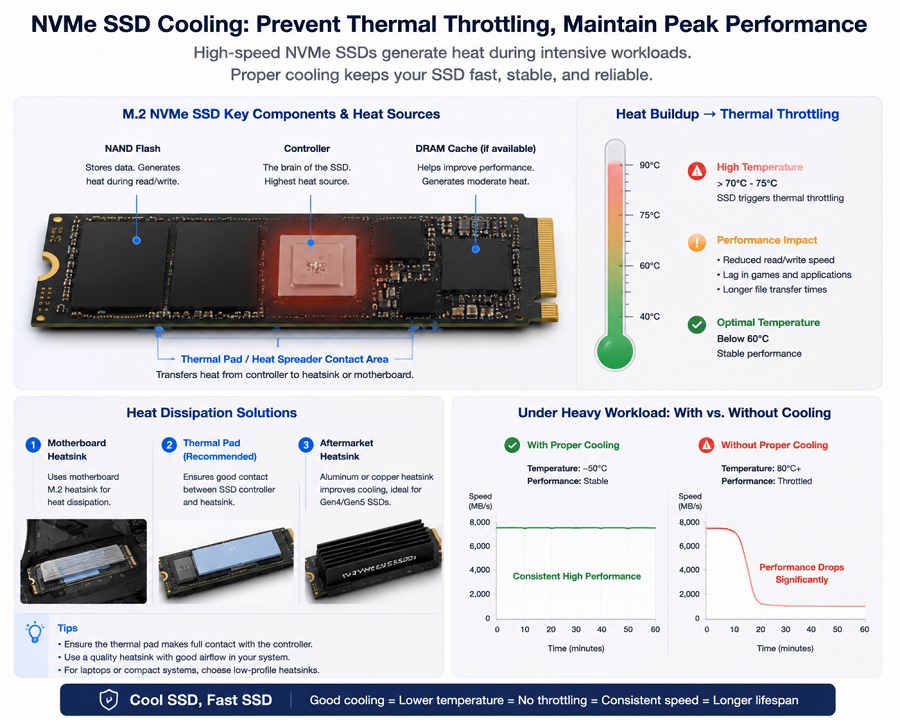
Thermal Throttling: Why Your SSD Needs Cooling
High-speed Gen4 and Gen5 NVMe drives run hot. When pushed hard during gaming sessions or large file transfers, localized controller temperatures can rise quickly.
When temperatures cross safety limits (usually around 70°C to 75°C), thermal throttling kicks in. The drive automatically slows itself down to lower heat, causing sudden lag spikes in games or slow transfer speeds.
Whether installing a drive in a desktop PC, laptop, or industrial computing terminal:
- Device Compatibility: For devices such as PS5 expansion storage or compact systems, always use an M.2 SSD with a compatible heatsink that meets device requirements.
- PC & Hardware Airflow: Ensure your motherboard or system thermal pad makes solid contact with the SSD controller, or use a low-profile aluminum heat spreader.
(Read more on controller thermals in How SSD Controllers Work: The Engineering Behind SSD Performance and Thermal Throttling).
Quick Compatibility Checks Before Buying
- M.2 is the shape, NVMe is the speed. An M.2 slot on an older motherboard or budget system might only support SATA speeds. Double-check your system manual for PCIe NVMe support before buying.
- PCIe generations are backward compatible. A PCIe 4.0 SSD will run in a PCIe 3.0 slot without issue, but its speed will cap at Gen3 limits (~3,500 MB/s). (See scaling tests in PCIe 4.0 vs. 3.0: An Engineering Reality Check).
- Check Lifespan (TBW Ratings): Total Bytes Written (TBW) tells you how much data you can write to the drive over its lifetime. Higher TBW means better flash endurance for heavy daily use.
Frequently Asked Questions (FAQ)
Q: Can I put a PCIe Gen4 NVMe SSD in a PCIe Gen3 slot?
Yes. PCIe standards are fully backward compatible. The drive will run safely and reliably, but its maximum transfer speed will be limited to PCIe Gen3 speeds (~3,500 MB/s).
Q: Can I use any NVMe SSD to expand my PS5 storage?
No. Sony requires a PCIe Gen4 x4 M.2 NVMe SSD with sequential read speeds of at least 5,500 MB/s and a fitted heatsink that fits inside the console's expansion bay.
Q: Why does my SSD write speed drop during large downloads?
Budget DRAM-less drives rely on a temporary SLC cache. Once that buffer fills up during a massive download or file copy, write speeds drop significantly until the drive clears its buffer. Drives with independent DRAM cache avoid this issue.
Q: Do I need a heatsink for my M.2 NVMe SSD?
For PCIe Gen3 drives in desktop PCs, a heatsink is usually optional. For PCIe Gen4 and Gen5 drives—or any drive installed in a PS5 or tight chassis—a heatsink or thermal pad is strongly recommended to prevent thermal throttling.
Q: Are NVMe and eMMC storage solutions suitable for commercial or embedded hardware?
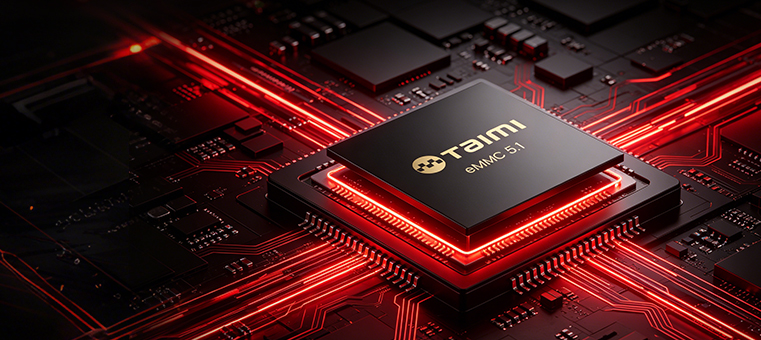
Yes. Embedded hardware and commercial terminals rely heavily on power efficiency, extended thermal endurance, and stable prolonged write performance. Depending on system requirements, high-capacity embedded storage like eMMC or commercial-grade NVMe SSDs are specifically validated to ensure long-term stability and continuous operation under demanding environments.
Reliable Storage Solutions by Taimi
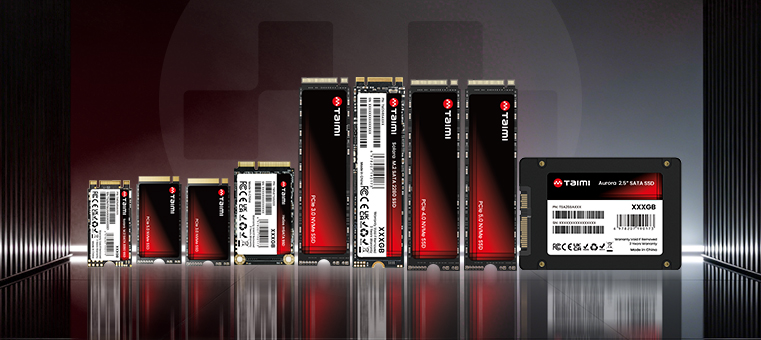
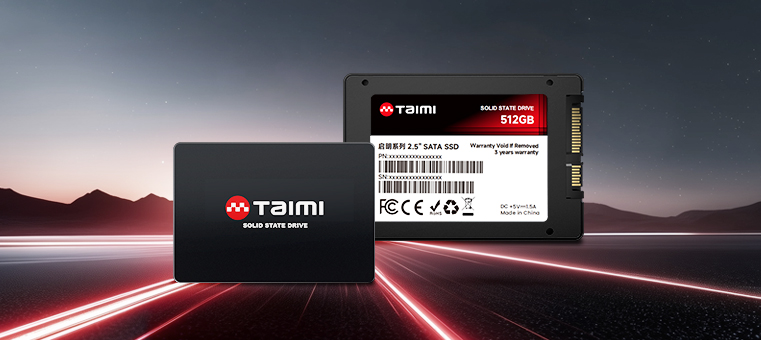
Taimi manufactures NVMe SSDs, SATA SSDs, and embedded storage solutions designed for reliable operation across consumer, professional, and commercial computing environments.
Taimi focuses on balanced SSD design by combining reliable hardware selection, firmware optimization, and production quality control instead of focusing only on peak benchmark numbers.
For applications that require stable long-term performance, Taimi SSDs feature independent DRAM cache architecture across selected product lines. This helps improve sustained write consistency during long-duration workloads.
Every Taimi storage solution undergoes multi-stage factory burn-in testing, wafer screening, and signal integrity validation—all backed by a 3-year limited warranty.
- Factory QA & Manufacturing: Discover how we build and test storage devices from wafer dicing to final packaging in From NAND Flash to Finished SSD: Inside the SSD Manufacturing and Testing Process.
- Product Catalog & Custom Sourcing: Explore Taimi’s full flash storage portfolio, including NVMe SSDs, SATA SSDs, and embedded storage solutions.
Looking for reliable storage for retail, embedded systems, or distribution pipelines?
Contact Taimi’s Team to Request Datasheets & QuotesRelated Products
Recommended Articles
PCIe vs. SATA SSD: A 2026 Engineer’s Guide to Storage Upgrades
2026-07-02
More
DRAM vs DRAM-less SSD Explained: Performance, Endurance, and Buying Guide (2026)
2026-08-03
More
TLC vs QLC SSD: Performance, Endurance, Lifespan, and Which NAND Is Better?
2026-07-27
More
How SSD Controllers Work: The Engineering Behind SSD Performance, Thermal Throttling, and Lifespan (2026 Guide)
2026-08-07
More
SSD TBW Explained: What It Means and How It Affects SSD Lifespan
2026-07-15
More
Why an SSD Is Detected in BIOS but Not Showing in Windows
2026-07-22
More
PCIe 4.0 vs. 3.0: An Engineering Reality Check on Performance
2026-07-08
More