
Company Introduction
More














How Much Faster Is an SSD Than an HDD? Real-World Speed Comparison
Share:
⚡ Quick Takeaway
A SATA SSD can deliver roughly 3–5 times the sequential transfer speed of a typical HDD (~500–560 MB/s vs ~100–200 MB/s). PCIe NVMe SSDs can reach roughly 3,000 MB/s (Gen3), 7,000 MB/s (Gen4), and up to 14,000 MB/s (Gen5), depending on the model.
The bigger everyday difference is often latency and random I/O performance. This is why an SSD can make Windows, applications, file access, and game loading feel much more responsive than an HDD.
If you are upgrading an older PC or choosing storage for a new computer, one of the first questions is often: How much faster is an SSD than an HDD?
The answer depends on the type of SSD and the workload. A traditional hard disk drive (HDD) uses mechanical platters and a moving read/write head, while an SSD uses NAND flash memory with no moving mechanical parts.
In sequential transfers, even a SATA SSD can be several times faster than a typical HDD. PCIe NVMe SSDs can be significantly faster again. However, the difference is not just about maximum MB/s. SSDs also provide much lower latency and much stronger random I/O performance, which has a major impact on everyday system responsiveness.
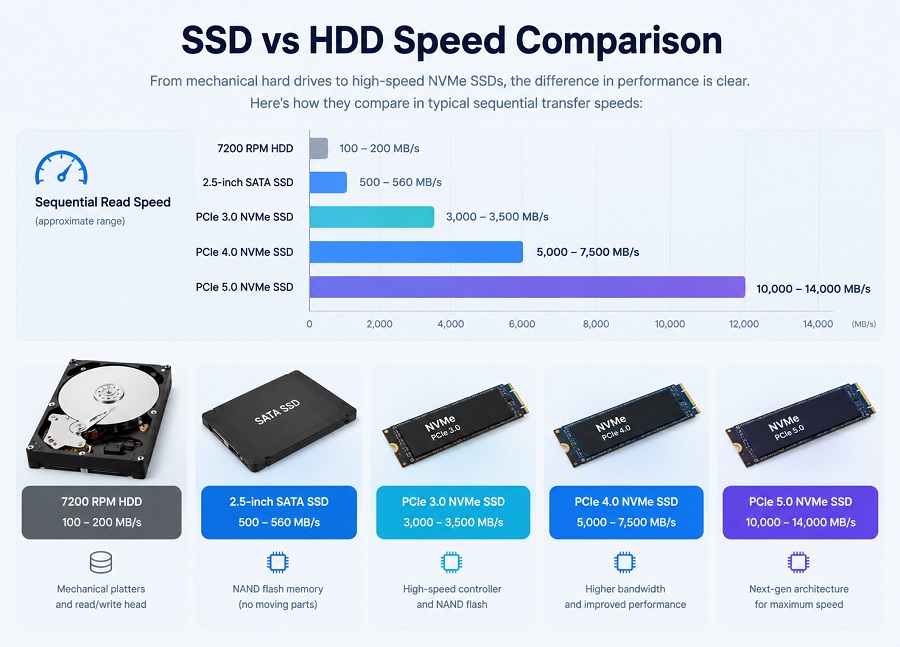
SSD vs HDD Speed Comparison
The following table shows representative performance ranges for common HDD and SSD classes. Actual performance varies by model, capacity, controller, NAND flash, firmware, workload, and test conditions.
| Storage Type | Sequential Read | Sequential Write | Random I/O | Typical Latency |
|---|---|---|---|---|
| 7200 RPM HDD | ~100–200 MB/s | ~90–180 MB/s | ~100–200 IOPS | ~10–15 ms |
| 2.5-inch SATA SSD | ~500–560 MB/s | ~450–530 MB/s | Tens of thousands to ~100K IOPS | Typically <0.1 ms |
| PCIe 3.0 NVMe SSD | ~3,000–3,500 MB/s | ~2,500–3,000 MB/s | Hundreds of thousands of IOPS | Tens of μs |
| PCIe 4.0 NVMe SSD | ~5,000–7,500 MB/s | ~4,400–7,000 MB/s | Up to ~1M+ IOPS on high-end models | Tens of μs |
| PCIe 5.0 NVMe SSD | ~10,000–14,000 MB/s | ~9,500–13,000 MB/s | Up to ~1.5M+ IOPS on high-end models | Tens of μs |
These figures are representative ranges rather than guaranteed performance for every drive. For a fair comparison, the SSD and HDD should be tested under the same workload and system conditions.
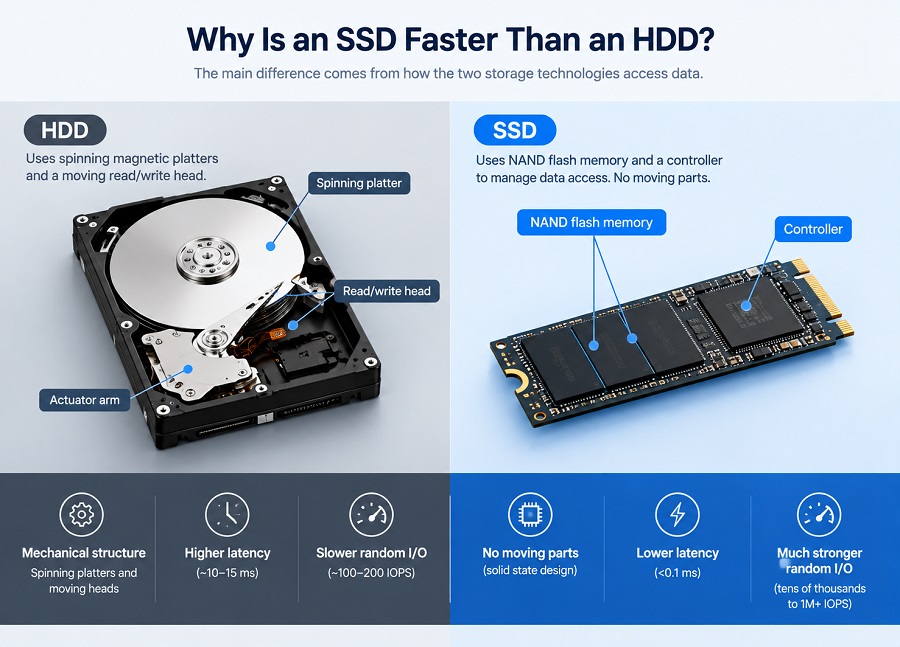
Why Is an SSD Faster Than an HDD?
The main difference comes from how the two storage technologies access data.
HDDs Use Mechanical Components
An HDD stores data on spinning magnetic platters. When the computer requests data, the read/write head must move to the correct position while the platter continues spinning. This mechanical process creates additional access time. It is especially noticeable when the system needs to access many small files located in different areas of the disk.
SSDs Use NAND Flash Memory
An SSD stores data in NAND flash memory and uses a controller to manage data access. There are no spinning platters or moving heads. This allows the SSD to access data with much lower latency and handle random I/O operations much more efficiently than an HDD.
Sequential Performance vs. Random Performance
Sequential speed measures how quickly a storage device can read or write large blocks of continuous data. It is useful for tasks such as copying large video files or moving large datasets.
Random performance measures how efficiently a drive can handle many smaller data requests. This is especially important for operating systems, applications, software installation, and general desktop workloads.
This is one reason why an SSD can feel dramatically faster than an HDD even when the difference in a particular real-world file transfer does not match the difference shown in a benchmark.
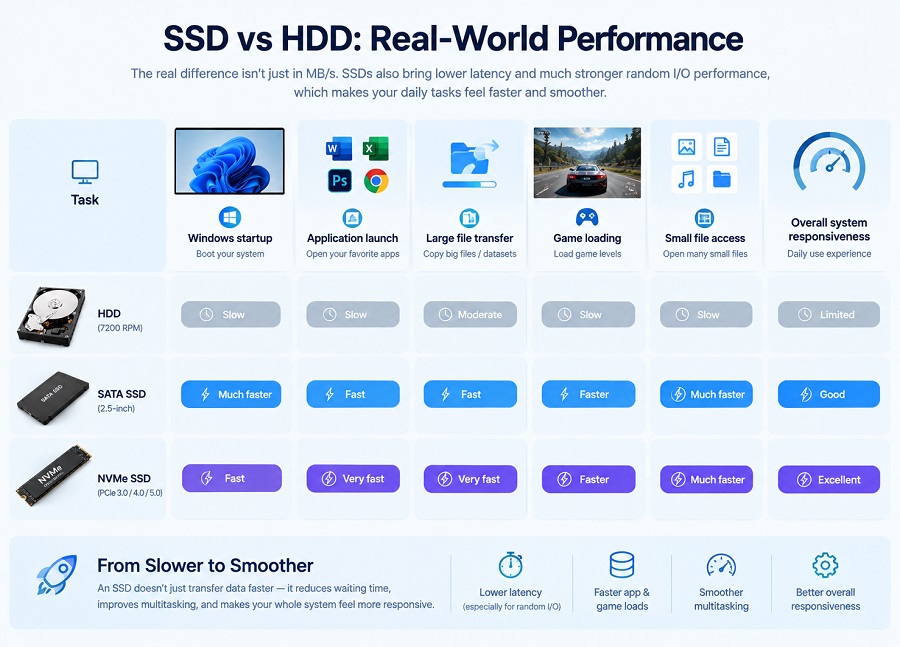
SSD vs HDD: Real-World Performance
| Task | HDD | SATA SSD | NVMe SSD |
|---|---|---|---|
| Windows startup | Slow | Much faster | Fast |
| Application launch | Slow | Fast | Very fast |
| Large file transfer | Moderate | Fast | Very fast |
| Game loading | Slow | Faster | Faster |
| Small file access | Slow | Much faster | Much faster |
| Overall system responsiveness | Limited | Good | Excellent |
The exact improvement depends on the system. CPU performance, RAM capacity, background applications, operating system configuration, and the condition of the original HDD can all affect the final result.
How Much Faster Is an SSD for Windows?
Replacing an HDD with an SSD can significantly reduce Windows startup and application loading times. However, there is no single boot-time number that applies to every computer.
Boot time depends on factors such as:
- CPU and RAM configuration
- Motherboard and BIOS/UEFI initialization
- Windows startup programs
- Storage drive performance
- Operating system configuration
- Overall system condition
In general, an SSD makes the storage portion of the boot process much faster, while the rest of the system still determines the total startup time.
If you are planning a laptop or PC storage upgrade, see our SSD upgrade guide for laptops and PCs for additional compatibility considerations.
How Much Faster Is an SSD for File Transfers?
For large sequential file transfers, a typical HDD may deliver around 100–200 MB/s, while a SATA SSD can reach approximately 500–560 MB/s.
NVMe SSDs can reach several thousand MB/s because they use the PCIe interface instead of the SATA interface.
However, maximum SSD speed does not always equal actual file-copy speed. The source drive, destination drive, file size, interface, thermal conditions, and workload can all become bottlenecks.
SSD Benchmark Speed vs. Real-World Speed
SSD benchmark results can look very different from everyday computer performance. Several factors can affect benchmark results, including:
- SSD controller
- NAND flash type
- Firmware
- SLC cache behavior
- Thermal throttling
- Random I/O workload
- Queue depth
- SSD capacity
- Available free space
- Motherboard and PCIe interface
- Operating system configuration
For this reason, maximum sequential read speed should not be the only factor used when comparing SSDs.
Does an SSD Make Games Faster?
Moving a game from an HDD to an SSD can significantly reduce loading times and improve general system responsiveness.
However, an SSD does not automatically increase gaming FPS. Frame rates are primarily determined by the CPU, GPU, memory, game engine, and graphics settings.
The main gaming benefit of an SSD is usually faster loading and reduced waiting time, rather than higher average FPS.
SATA SSD vs. NVMe SSD: Which Is Faster?
| Feature | SATA SSD | NVMe SSD |
|---|---|---|
| Interface | SATA III | PCIe |
| Typical Sequential Read | ~500–560 MB/s | ~3,000–14,000 MB/s depending on PCIe generation and model |
| Latency | Low | Very low |
| Best For | Older PCs, laptops, general upgrades | New PCs, gaming, high-speed workloads |
NVMe SSDs are generally much faster than SATA SSDs, but that does not mean every computer needs a PCIe 5.0 SSD.
For older systems, SATA SSDs can provide a major improvement over HDDs without requiring a platform upgrade. For newer systems with PCIe support, NVMe SSDs can provide significantly higher sequential performance.
For a deeper explanation of NVMe interfaces and PCIe bandwidth, see our NVMe SSD guide.
PCIe 3.0 vs. PCIe 4.0 vs. PCIe 5.0 SSD Speed
| PCIe Generation | Typical x4 NVMe Sequential Read | General Positioning |
|---|---|---|
| PCIe 3.0 x4 | Up to ~3,000–3,500 MB/s | Older and mainstream PCs |
| PCIe 4.0 x4 | Up to ~7,000 MB/s | Modern mainstream and gaming PCs |
| PCIe 5.0 x4 | Up to ~14,000 MB/s | High-performance newer platforms |
The PCIe generation sets the available interface bandwidth, but the SSD controller, NAND flash, firmware, thermal conditions, and platform also affect actual performance.
For example, installing a PCIe 4.0 SSD in a PCIe 3.0 system will generally limit the drive to PCIe 3.0-class performance.
Before purchasing an M.2 SSD, it is also important to confirm whether the motherboard supports SATA, NVMe, or both. See our M.2 SSD compatibility guide for more details.
Can You Replace an HDD With an SSD?
In many desktop PCs and laptops, replacing an HDD with an SSD is one of the most noticeable storage upgrades available.
Before replacing the drive, check:
- Physical drive size
- Interface compatibility
- Available M.2 slots
- SATA or NVMe protocol support
- Operating system installation or cloning requirements
- Available storage capacity
For a 2.5-inch SATA HDD replacement, a 2.5-inch SATA SSD is usually the most straightforward option. For systems with a compatible M.2 slot, an NVMe SSD may provide substantially higher performance.
What Should PC Builders and Bulk Buyers Consider?
For PC builders, system integrators, distributors, and volume buyers, SSD evaluation should go beyond maximum benchmark speed. Important factors include:
- Controller consistency: Different controller configurations can affect performance and compatibility.
- NAND consistency: Stable NAND sourcing helps maintain predictable product behavior across production batches.
- Firmware stability: Firmware affects compatibility, performance, and long-term operation.
- Thermal behavior: High-speed NVMe SSDs can reduce performance when thermal limits are reached.
- Platform compatibility: SSDs should be validated across the target motherboard and system platforms.
- Quality control: Batch-level testing helps identify defective or inconsistent units before deployment.
- Warranty and support: Clear warranty terms and technical support can reduce after-sales risk.
- Supply consistency: Consistent product configurations are important when deploying hundreds or thousands of systems.
For a complete checklist, see our SSD supplier evaluation guide for bulk buyers.
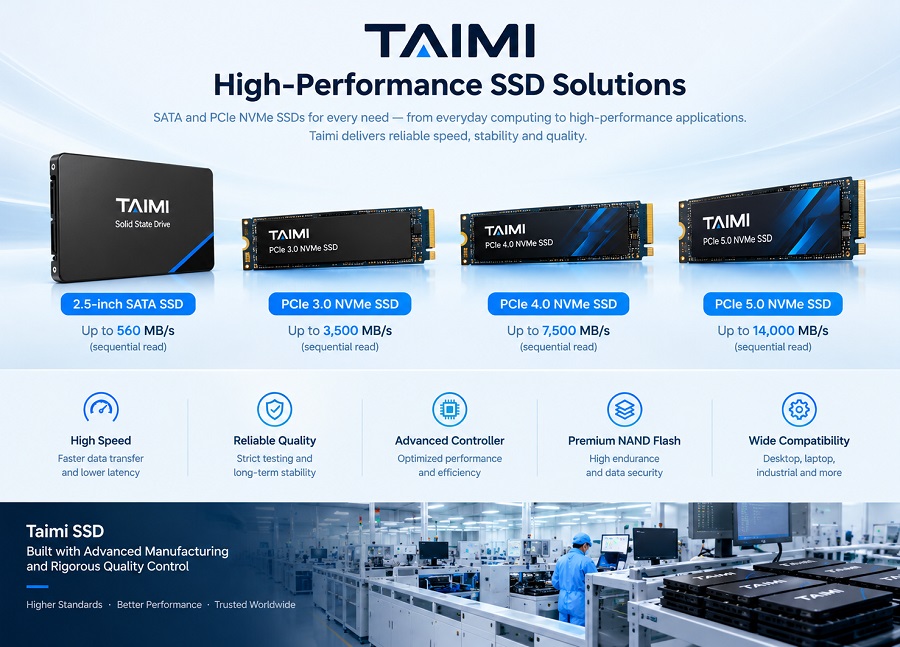
Taimi SSD Product Performance Overview
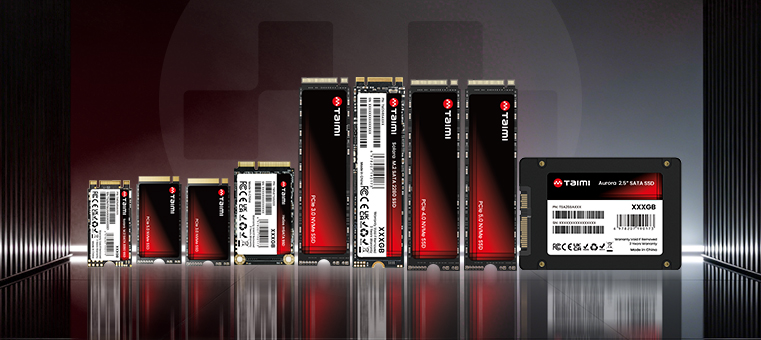
Taimi provides consumer-level SSD solutions covering PCIe 3.0, PCIe 4.0, PCIe 5.0, M.2 SATA, mSATA, and 2.5-inch SATA formats.
The following specifications are the maximum rated performance of the corresponding Taimi models under applicable test conditions. Actual results may vary depending on the system platform, workload, capacity, firmware, thermal conditions, and other factors.
| Model | Interface | Capacity | Max Read | Max Write |
|---|---|---|---|---|
| TME38MBXXX | PCIe 3.0 x4 NVMe | 128GB–2TB | Up to 3,000 MB/s | Up to 2,900 MB/s |
| TME48SBXXX | PCIe 4.0 x4 NVMe | 256GB–4TB | Up to 7,000 MB/s | Up to 6,000 MB/s |
| TME58SDXXX | PCIe 5.0 x4 NVMe | 512GB–4TB | Up to 14,000 MB/s | Up to 13,000 MB/s |
| TM2S8SAXXX | M.2 SATA III | 128GB–2TB | Up to 550 MB/s | Up to 500 MB/s |
| TMSATSAXXX | mSATA / SATA III | 128GB–2TB | Up to 550 MB/s | Up to 500 MB/s |
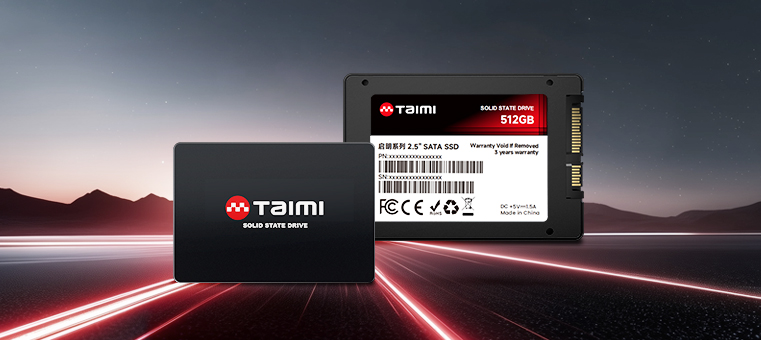
| TSA25SAXXX | 2.5-inch SATA III | 128GB–2TB | Up to 550 MB/s | Up to 500 MB/s |
For PC builders and volume buyers, these product categories cover common upgrade and system-build requirements, from replacing HDDs with SATA SSDs to deploying higher-performance PCIe NVMe storage on newer platforms.
Frequently Asked Questions
1. Is an SSD really faster than an HDD?
Yes. SSDs are significantly faster than HDDs, especially for random access and system responsiveness. A SATA SSD can typically reach around 500–560 MB/s sequential read, while a typical HDD may deliver around 100–200 MB/s.
2. How many times faster is an SSD than an HDD?
A SATA SSD can provide roughly 3–5 times the sequential transfer speed of a typical HDD. PCIe NVMe SSDs can be several times faster again, depending on the PCIe generation and SSD model.
3. How much faster is an SSD for Windows?
An SSD can significantly reduce Windows startup and application loading times compared with an HDD. The exact improvement depends on the CPU, RAM, motherboard, startup programs, operating system, and drive condition.
4. Is a SATA SSD faster than a 7200 RPM HDD?
Yes. A SATA SSD is generally much faster than a 7200 RPM HDD, particularly for random I/O and access latency. SATA SSDs can reach around 500–560 MB/s sequential read compared with roughly 100–200 MB/s for many HDDs.
5. Is PCIe 4.0 twice as fast as PCIe 3.0?
At the interface level, PCIe 4.0 provides approximately twice the per-lane bandwidth of PCIe 3.0. In actual SSD benchmarks, performance does not always scale exactly 2× because controller, NAND, thermals, firmware, and workload also matter.
6. Is NVMe better than SATA SSD?
NVMe SSDs generally provide much higher sequential and random performance than SATA SSDs. However, SATA SSDs can still be an excellent upgrade for older PCs and laptops that do not support NVMe.
7. Does an SSD increase gaming FPS?
Usually not significantly. An SSD mainly improves game loading times and system responsiveness. FPS is primarily determined by the GPU, CPU, RAM, game engine, and graphics settings.
8. Is a PCIe 5.0 SSD always better than a PCIe 4.0 SSD?
Not necessarily. PCIe 5.0 SSDs can provide substantially higher peak bandwidth, but the benefits depend on the workload and system platform. For many everyday users, a good PCIe 4.0 SSD can provide an excellent balance of performance and compatibility.
9. Can I replace my HDD with an SSD?
In many systems, yes. You should first check the drive form factor, interface, motherboard support, available slots, and operating system migration requirements.
10. What makes an SSD feel faster than an HDD?
The biggest factors are much lower latency and significantly better random I/O performance. These characteristics allow an SSD to handle many small data requests much more efficiently than a mechanical HDD.
Bottom Line: How Much Faster Is an SSD Than an HDD?
An SSD is substantially faster than an HDD, but the exact difference depends on the SSD type and workload.
A typical HDD may deliver around 100–200 MB/s sequential performance, while a SATA SSD can reach around 500–560 MB/s. PCIe NVMe SSDs can reach several thousand MB/s, with PCIe 3.0, PCIe 4.0, and PCIe 5.0 models reaching approximately 3,000 MB/s, 7,000 MB/s, and 14,000 MB/s respectively, depending on the model.
More importantly, SSDs provide much lower latency and much stronger random I/O performance. That is why upgrading from an HDD to an SSD can make a computer feel dramatically more responsive even when maximum sequential speed is not the main workload.
Looking for Reliable SSD Solutions for Your PC Builds?
Taimi provides PCIe 3.0, PCIe 4.0, PCIe 5.0 NVMe SSDs, and SATA SSD solutions tailored for PC builders, distributors, OEM/ODM clients, and system integrators. All products undergo strict factory quality control and come with a 3-year warranty.
Related Products
Recommended Articles
What Is eMMC? Everything You Need to Know About eMMC Storage
2026-09-04
More
What Is a PCIe SSD? Speed, NVMe, and Compatibility Guide (2026)
2026-08-19
More
What Is a SATA SSD? Speed, Benefits, Compatibility, and Applications (2026 Guide)
2026-08-14
More
What Is an NVMe SSD? Complete Guide to Speed, Gaming Performance, Compatibility, and SSD Selection (2026)
2026-08-12
More
How Much SSD Storage Do You Need? 512GB vs. 1TB vs. 2TB SSD
2026-08-24
More
M.2 SSD Compatibility Guide 2026: How to Check NVMe Support Before Buying
2026-08-28
More
How to Check If Your Laptop Supports an SSD Upgrade: SSD Compatibility Guide (2026)
2026-08-26
More