
Company Introduction
More













M.2 SSD Compatibility Guide 2026: How to Check NVMe Support Before Buying
Share:
⚡ Quick Compatibility Summary
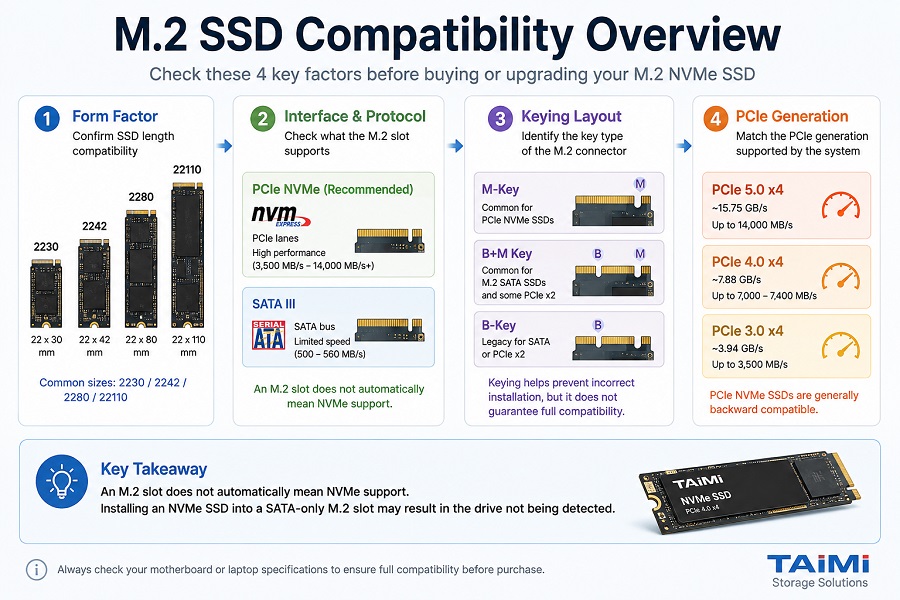
Before buying, upgrading, or deploying an M.2 NVMe SSD, it is important to verify compatibility based on motherboard support, physical dimensions, interface protocol, and PCIe generation.
- Form Factor: Confirm SSD length compatibility, including 2230, 2242, and 2280.
- Interface & Protocol: Check whether the slot supports SATA III or PCIe NVMe.
- Keying Layout: Identify M-Key, B-Key, or B+M Key configurations.
- PCIe Generation: Match PCIe 3.0, PCIe 4.0, or PCIe 5.0 bandwidth requirements.
Key Takeaway: An M.2 slot does not automatically mean NVMe support. Installing an NVMe SSD into a SATA-only M.2 slot may result in the drive not being detected.
1. M.2 vs. NVMe: The Fundamental Difference
One of the most common mistakes when selecting SSDs for laptops, desktop PCs, and OEM systems is confusing M.2 with NVMe. Although both terms are often used together, they describe different technologies.
- M.2 refers to the physical form factor, including connector size and SSD dimensions.
- NVMe refers to the storage protocol that communicates through PCIe lanes.
An M.2 SSD can use either SATA protocol or PCIe NVMe protocol. Before selecting a drive, users should understand the differences between PCIe SSDs and SATA SSDs to ensure proper compatibility and performance. M.2 SATA SSDs are usually limited to around 500–560 MB/s, while PCIe NVMe SSDs can reach several thousand MB/s depending on PCIe generation.
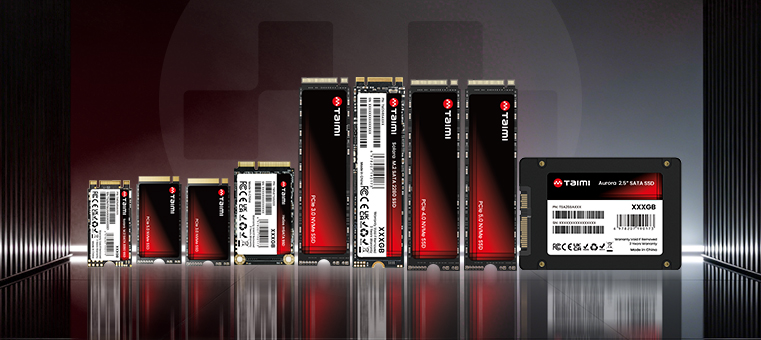
2. M.2 SSD Form Factors Explained: 2230, 2242, 2280, and 22110
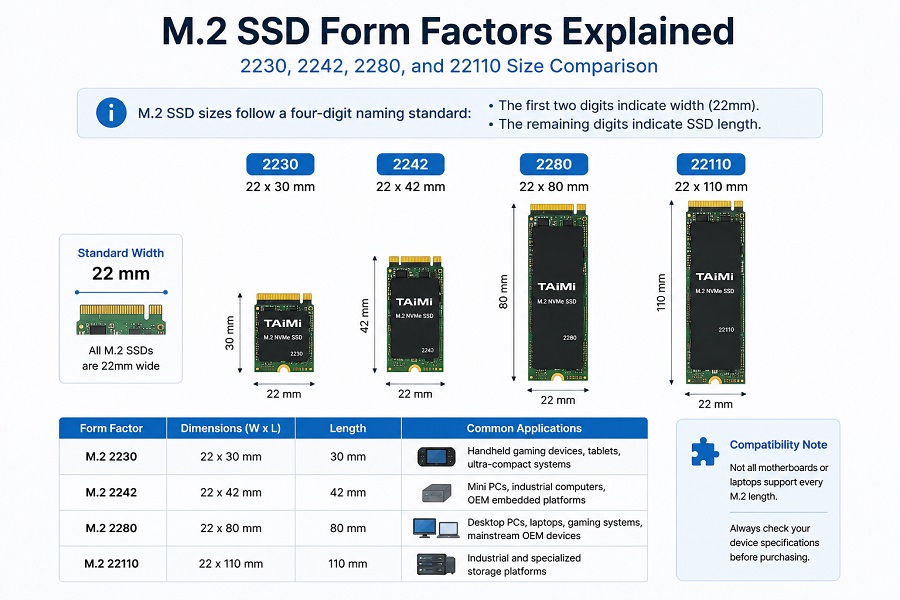
M.2 SSD sizes follow a four-digit naming standard:
- The first two digits indicate width (22mm).
- The remaining digits indicate SSD length.
| Form Factor | Dimensions | Common Applications |
|---|---|---|
| M.2 2230 | 22 × 30 mm | Handheld gaming devices, tablets, ultra-compact systems |
| M.2 2242 | 22 × 42 mm | Mini PCs, industrial computers, OEM embedded platforms |
| M.2 2280 | 22 × 80 mm | Desktop PCs, laptops, gaming systems, mainstream OEM devices |
| M.2 22110 | 22 × 110 mm | Industrial and specialized storage platforms |
3. Protocol & Keying: M.2 SATA vs. M.2 NVMe
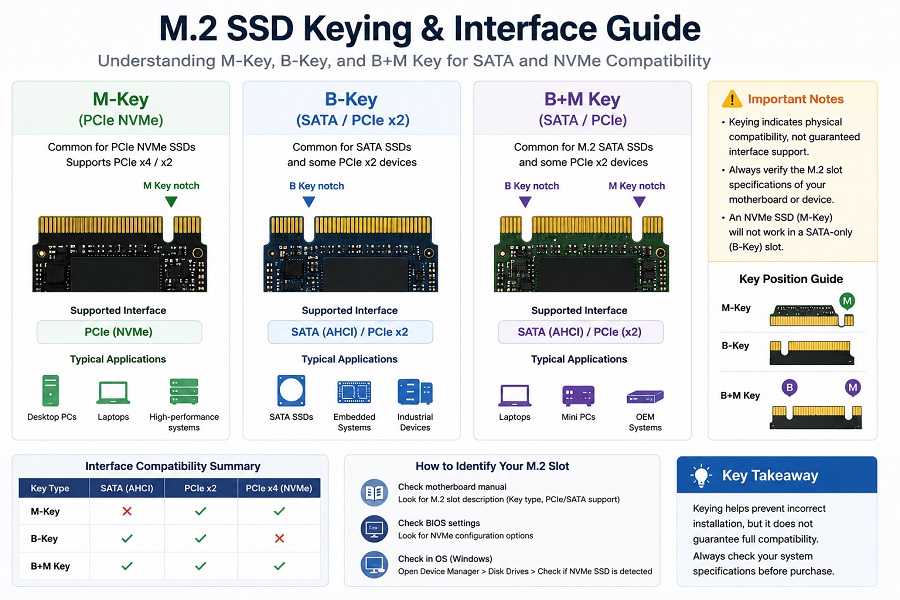
The connector keying design helps identify the supported interface and prevents incorrect installation. However, key type alone does not always guarantee compatibility. The motherboard specification should always be checked before purchase.
M-Key vs B+M Key
| Feature | M.2 SATA SSD | M.2 PCIe NVMe SSD |
|---|---|---|
| Interface Bus | SATA III | PCI Express (PCIe) |
| Protocol | AHCI | NVMe |
| Typical Keying | B+M Key | M-Key |
| Typical Performance | 500–560 MB/s | 3,500 MB/s – 14,000 MB/s+ |
M-Key: Commonly used for PCIe NVMe SSDs, including PCIe 3.0, PCIe 4.0, and PCIe 5.0 NVMe drives.
B+M Key: Commonly found on M.2 SATA SSDs and some PCIe x2 storage devices.
B-Key: A legacy keying design used for specific SATA or PCIe x2 applications.
4. How to Verify NVMe Support Before Buying an SSD
Before purchasing an M.2 SSD, users and system integrators should confirm compatibility through the following methods:
- Check Official Specifications
Look for descriptions such as: " M.2 PCIe NVMe Key M slot" or "PCIe 4.0 x4 NVMe support". - Review Motherboard or Laptop Manuals
Some systems include multiple M.2 slots with different capabilities. One slot may support NVMe while another only supports SATA. - Check BIOS and Operating System Information
Windows Device Manager, BIOS storage settings, and system diagnostic tools can confirm whether NVMe devices are detected.
5. PCIe Generation and NVMe SSD Performance
NVMe SSD performance depends on both the SSD controller and the PCIe bandwidth provided by the host platform.
| PCIe Generation | Theoretical PCIe x4 Bandwidth | Typical SSD Read Speed | Common Applications |
|---|---|---|---|
| PCIe 3.0 | ~3.94 GB/s | Up to 3,500 MB/s | Office PCs, mainstream computers |
| PCIe 4.0 | ~7.88 GB/s | Up to 7,000–7,400 MB/s | Gaming PCs, high-performance systems |
| PCIe 5.0 | ~15.75 GB/s | Up to 14,000 MB/s | High-end consumer platforms |
For more details about PCIe bandwidth limitations, see our guide on PCIe 4.0 vs PCIe 3.0 SSD performance differences. For example, a PCIe 4.0 NVMe SSD can operate in a PCIe 3.0 slot, but its performance will be limited by the bandwidth of the PCIe 3.0 interface.
6. Common M.2 SSD Compatibility Problems
Problem 1: NVMe SSD Installed in SATA-only M.2 Slot
Symptom: The SSD is physically installed but cannot be detected in BIOS.
Solution: Confirm whether the M.2 slot supports PCIe NVMe before purchasing.
Problem 2: Incorrect SSD Length
Symptom: The SSD mounting hole does not match the motherboard position.
Solution: Check whether the platform supports 2230, 2242, 2280, or other M.2 sizes.
Problem 3: Thermal Performance Issues
Symptom: High-speed SSDs reduce performance during long workloads.
Solution: Use proper thermal solutions such as heatsinks or thermal pads when required.
7. M.2 SSD Compatibility Checklist
| Check Item | Validation Criteria |
|---|---|
| SSD Length | 2230 / 2242 / 2280 supported |
| Interface | SATA or PCIe NVMe confirmed |
| Key Type | M-Key or B+M Key compatibility |
| PCIe Generation | Gen3 / Gen4 / Gen5 matched |
| Thermal Clearance | Enough space for heatsink installation |
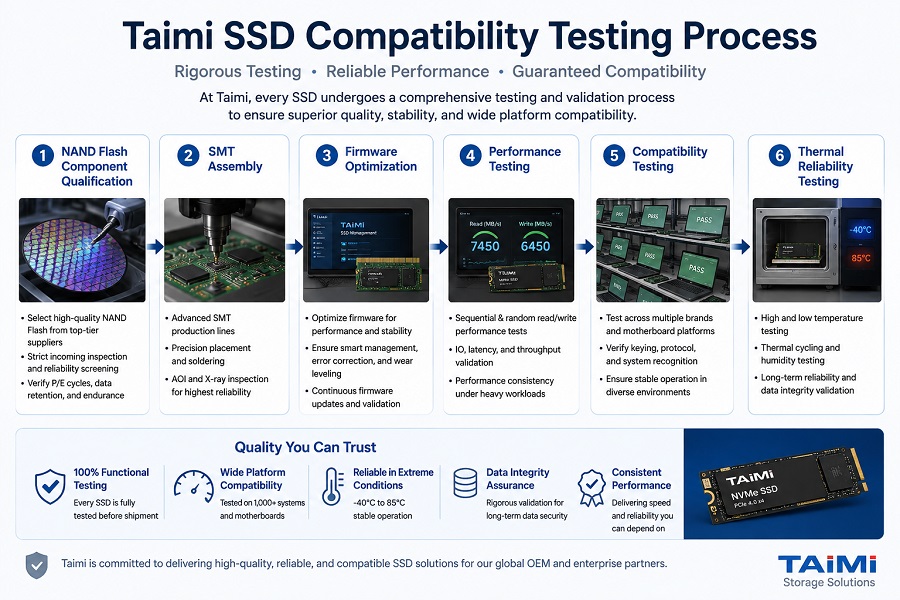
8. SSD Compatibility Testing at Taimi
For OEM manufacturers, PC builders, and distributors, compatibility testing is especially important because SSD failures after deployment can increase return rates and support costs.
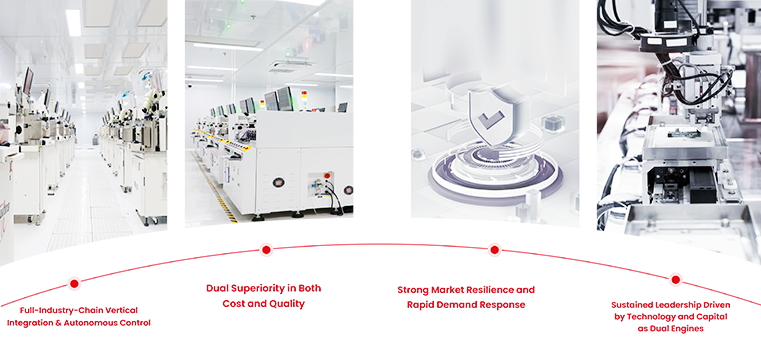
At Taimi, SSD compatibility validation is integrated into our quality control process to help customers achieve stable supply, consistent performance, and reliable deployment across different platforms.
Our SSD production and validation process includes:
NAND Flash Component Qualification
↓
SMT Assembly
↓
Firmware Optimization
↓
Performance Testing
↓
Compatibility Testing
↓
Thermal Reliability Testing
Learn more about our SSD manufacturing and testing process.
Quality Control Process
- NAND Flash component qualification
- SSD assembly and testing
- Firmware optimization and validation
- Performance consistency testing
- Thermal reliability testing
9. Frequently Asked Questions (FAQ)
Q1: Is every M.2 SSD compatible with every M.2 slot?
No. M.2 SSD compatibility depends on several factors, including SSD length, interface protocol, keying type, and PCIe generation support.
Q2: How do I know if my computer supports an NVMe SSD?
Check your laptop or motherboard specifications for terms such as "M.2 PCIe NVMe", "Key M", or "PCIe x4 NVMe support". You can also confirm NVMe support through BIOS settings or Windows Device Manager.
Q3: Can a PCIe 4.0 SSD work in a PCIe 3.0 slot?
Yes. PCIe NVMe SSDs are generally backward compatible. A PCIe 4.0 SSD can operate in a PCIe 3.0 slot, but the maximum performance will be limited by PCIe 3.0 bandwidth.
Q4: What is the difference between M.2 SATA and M.2 NVMe SSD?
M.2 SATA SSDs usually use the SATA III interface and are limited to around 500–560 MB/s. M.2 NVMe SSDs use PCIe lanes and provide significantly higher performance depending on PCIe generation.
Q5: How do OEM buyers validate SSD compatibility before mass production?
OEM buyers usually perform platform compatibility testing, firmware validation, performance verification, and reliability testing before large-scale deployment.
Looking for Reliable OEM / Bulk SSD Solutions?
Stable SSD Supply for PC Builders, Distributors, and OEM Projects
Whether you are assembling desktop PCs, sourcing storage solutions for Mini PCs, or developing customized OEM products, Taimi provides validated SSD solutions with stable supply and quality control.
Our SSD solutions include:
- PCIe NVMe SSD
- SATA SSD
- M.2 SSD
- OEM SSD customization
Contact Taimi for SSD samples, bulk pricing, firmware customization, and OEM cooperation.
Related Products
Recommended Articles
What Is a SATA SSD? Speed, Benefits, Compatibility, and Applications (2026 Guide)
2026-08-14
More
How Much SSD Storage Do You Need? 512GB vs. 1TB vs. 2TB SSD
2026-08-24
More
SSD Buying Guide 2026: How to Choose the Right SSD for PC, Laptop, and OEM Applications
2026-08-21
More
What Is a PCIe SSD? Speed, NVMe, and Compatibility Guide (2026)
2026-08-19
More
M.2 SSD Compatibility: Sizes, Keys, Bus Protocols, and OEM Validation
2026-08-17
More
What Is an NVMe SSD? Complete Guide to Speed, Gaming Performance, Compatibility, and SSD Selection (2026)
2026-08-12
More
How SSD Controllers Work: The Engineering Behind SSD Performance, Thermal Throttling, and Lifespan (2026 Guide)
2026-08-07
More
SSD Health Check: How to Check SSD Lifespan and Condition (2026 Guide)
2026-08-10
More